Online PNG to STL Conversion, Powered by AI
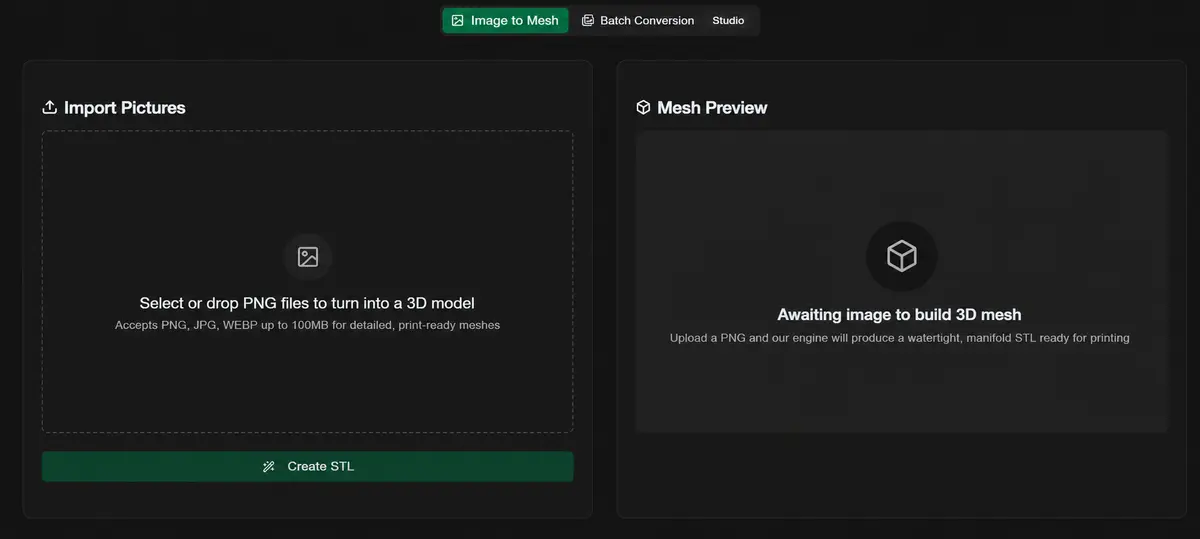
Drop in a PNG or JPG and AI shapes it into a watertight mesh for your slicer. Spin the preview, refine the settings and export when it looks right.
Gallery of results
Explore What You Can Make
From mascots to machines, every model here began as one flat picture. Hover a card to see the subject.
Why makers pick us
A Sharper Path to 3D Printing
Our png to stl engine suits first-timers and busy print farms alike, with tools that stay out of your way.
Fast AI Turnaround
Depth, texture and proportion are inferred automatically, so a finished mesh arrives long before a CAD sketch would.
Studio-Grade Meshes
High-resolution geometry with smooth surfaces and true-to-shape dimensions that slice without surprises.
No Modeling Skills Needed
Skip the CAD tutorials. Pick an image, choose a quality level and let the converter do the heavy lifting.
Ready for Any Printer
Exports carry correct normals and closed shells, so FDM and resin machines accept them straight away.
Under the hood
Everything a Clean Print Needs
Professional controls and smart defaults cover every kind of project, from keychains to display pieces.
Intelligent Depth Mapping
AI reads shading and outlines to build believable relief, giving each png to stl job real volume rather than a flat slab.
Adjustable Height & Base
Set extrusion depth and base thickness to suit the part you are printing and the material loaded.
Works With Common Formats
JPG and PNG both import cleanly, so the files already in your design folders are ready to use.
Bulk Conversion
Queue several images together when producing a series, a product line or a batch of gifts.
Automatic Mesh Tuning
Triangle counts are balanced against detail, keeping files light to slice while edges stay crisp.
Runs in Your Browser
Nothing to install. Open the converter on a laptop or tablet and let remote GPUs do the work.
Three steps
From Picture to Print File
A short, focused workflow that takes a flat image to a sliceable model with minimal fuss.
Add Your Image
Drag a PNG onto the upload area or browse your device. Sharper sources hand the AI more detail.
Tune the Settings
Pick height, depth and quality for your printer, then rotate the preview to check every side.
Export the STL
Download a file that opens in Cura, PrusaSlicer, Bambu Studio and other popular slicers.
The technology
How the AI Builds Your Model
A look at the pipeline behind each png to stl conversion, and why it outperforms hand-built extrusions.
Image Understanding
Neural networks scan your picture for edges, silhouettes and depth cues using modern computer vision.
Mesh Construction
Dedicated algorithms place vertices where they matter most, producing a dense yet smooth, printable shape.
Print Preparation
A final pass fixes normals, seals open gaps and trims surplus triangles so files meet printing standards.
Loved by makers
What Creators Say After Their First Prints

Priya Nandakumar
Owner, Etsy keychain shopI turn customer logos into keychains myself now instead of outsourcing the modeling. Buyers notice the crisp edges on every order.

Tomás Ferreira
Industrial designerFor prototypes I sketch, export a PNG and get a printable part to test. It replaced long sessions of manual modeling on my bench.

Grace Holloway
Brand events leadWe make promo figurines from our brand art. The png to stl results look polished enough that clients assume a sculptor helped.

Kenji Morales
Print bureau founderWalk-in customers bring a picture and leave with a print. It widened what our shop offers without adding staff.

Aisha Rahman
Jewelry makerCommissions used to stall at the modeling stage. Now client sketches go straight to casting-ready pieces, and I focus on finishing.

Owen Lindqvist
Additive manufacturing consultantI benchmark conversion tools for clients. This one keeps giving the cleanest geometry, and files print without repair work.
Questions
Answers Before You Print
Which image types can I turn into STL files?
JPG and PNG are fully supported. Clear subjects with good contrast against the background give the strongest results.
How faithful is the 3D result to my image?
Shapes and proportions are recreated closely, and the quality setting lets you trade some speed for finer surface detail.
Is there a limit on image size?
Everyday photos and artwork work well. Huge files are worth resizing first, since detail beyond what a printer can show adds little.
Will the files work on my 3D printer?
Yes. Each export is a standard, watertight STL that loads in common slicers for FDM, resin and SLS machines.
How long does a conversion usually take?
It depends on image complexity and the quality level you choose. Simple png to stl jobs wrap up quickly, while detailed Ultra runs need more processing.
Ready to Give Your Images a Third Dimension?
Join makers who rely on AI-shaped meshes for professional prints. Pick an image and start building your next model today.